XGO-mini2S with LiDAR AI Robot Dog with Raspberry Pi CM5 & 4-DOF Robotic Arm

XGO-mini2S with LiDAR AI Robot Dog with Raspberry Pi CM5 & 4-DOF Robotic Arm

$879.20
Regular price  $1,099.00 Sale price  $879.20
Skip to product information
XGO-mini2S with LiDAR AI Robot Dog with Raspberry Pi CM5 & 4-DOF Robotic Arm

XGO-mini2S with LiDAR AI Robot Dog with Raspberry Pi CM5 & 4-DOF Robotic Arm

$879.20
Regular price  $1,099.00 Sale price  $879.20

Now in Pre-sale — Ships within 10 Days

Due to the complexities of international shipping, returns are not accepted once your order has shipped. If you experience a product quality issue, we will arrange a replacement shipment or an exchange.

Bring your AI ideas to life. Powered by Raspberry Pi CM5, XGO-mini2S combines 12-DOF quadruped mobility with a 4-DOF robotic arm for walking, grasping, and interactive robotics projects—all on your desktop. Coreless motors and magnetic encoders support responsive movement, while omnidirectional locomotion, body posture control, and IMU stabilization expand your experiments. With computer vision, voice interaction, and Python / ROS development support, it’s a versatile platform for robotics enthusiasts, developers, and researchers.

XGO-Mini2S

Higher computing power, greater payload capacity, and support for ROS secondary development meet the needs of university research and advanced development, making it an ideal partner for technical exploration.
16 Degrees of FreedomWalk, pose, turn and manipulate
20+ Preset ActionsStart exploring with one touch
CM5 · 2.4GHz4GB RAM / 32GB storage
4.5 kg·cmCoreless motor servo torque

01 / THE PLATFORM

Movement. Feedback. Intelligence.

Three connected systems turn a compact quadruped into a desktop mobile manipulator.

WHOLE-BODY CONTROL

16 joints. One coordinated robot.

Move into position with a 12-DOF quadruped base. Reach and grasp with a 3-DOF arm, while the rotating base extends the working range.
12leg joints
3arm joints
1rotating base

CLOSED-LOOP SERVOS

Every joint gives feedback.

Coreless motors pair with magnetic encoders for angle readback and responsive control. Manual teaching lets you demonstrate a pose before building a sequence.
4.5kg·cm
0.01°angle feedback

COMPUTE ON THE ROBOT

Your AI brain is onboard.

The head-mounted XGO AI module integrates Raspberry Pi CM5, storage and Luwu-OS. Run supported demos locally and develop your own vision tasks.
CM54GB
32GBStorage
Luwu OSPre-installed

02 / MOTION & MANIPULATION

Walk there. Reach out. Pick it up.

Coordinate translation and turning through one motion library. Explore 20+ preset actions, then create sequences of your own.

POSITION

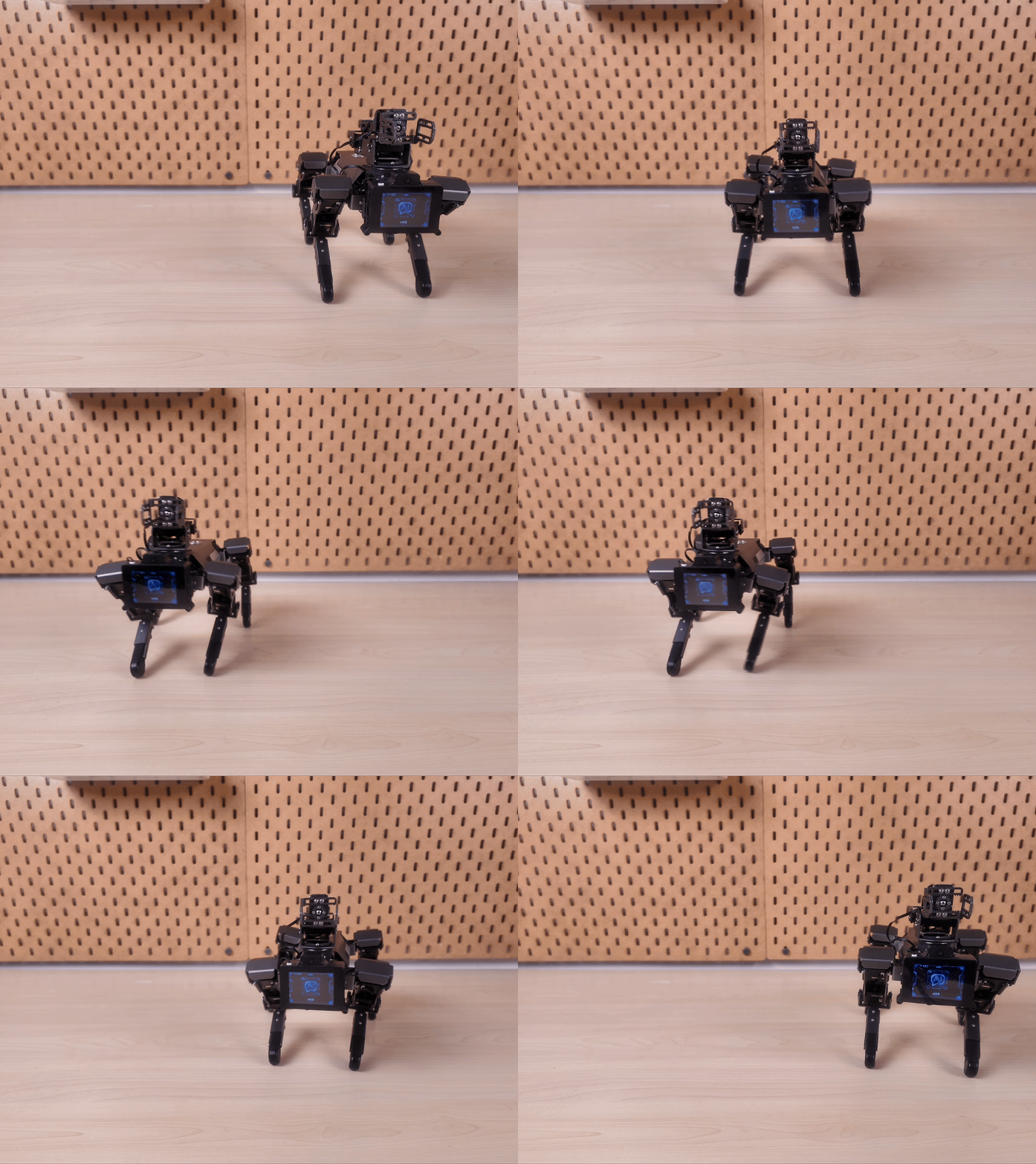
Move in every direction

Side-step and turn to align the body with a target.

COORDINATE

Bring movement to life

Explore dynamic gaits and coordinated posture changes.

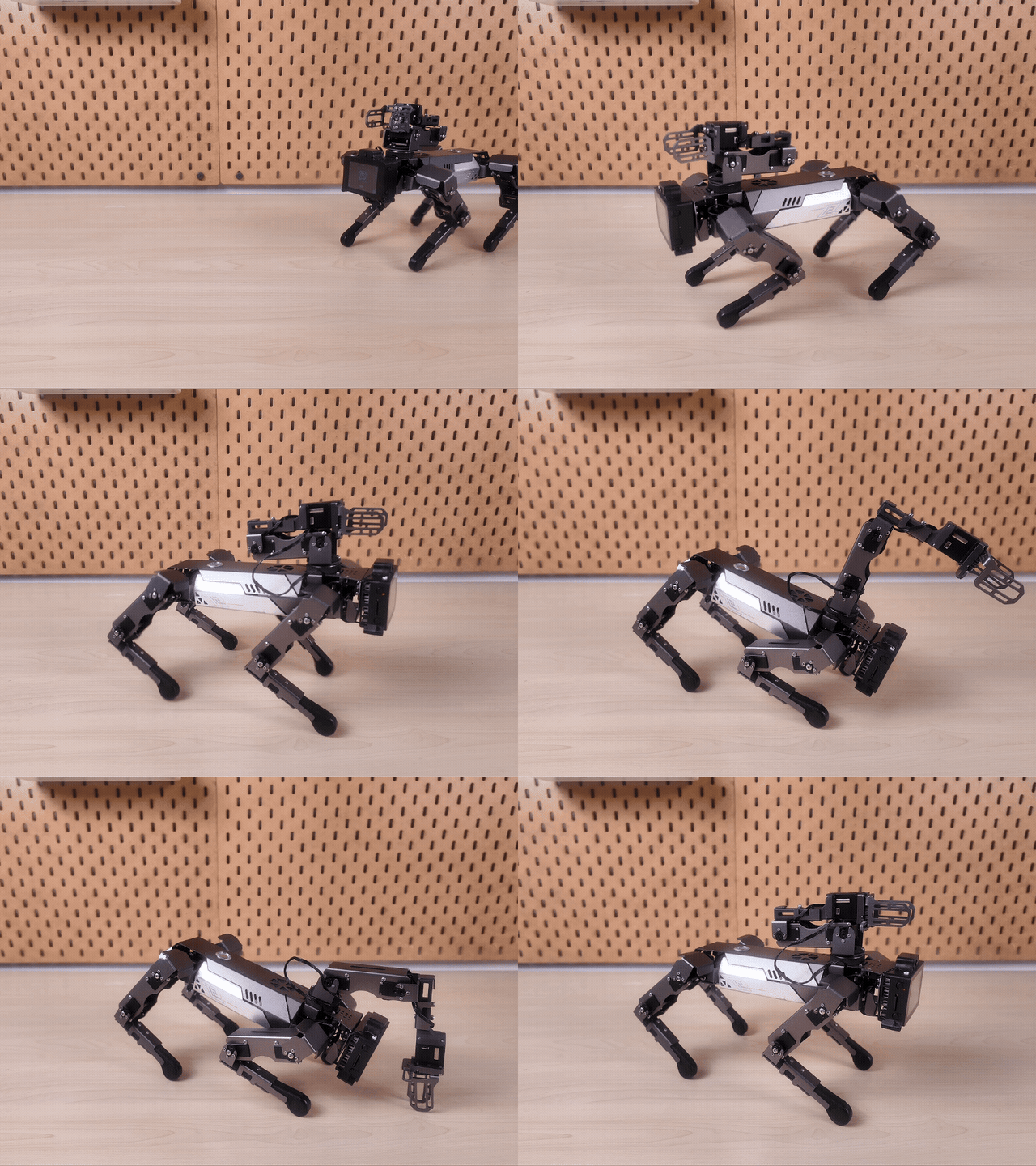
MANIPULATE

Reach beyond walking

Combine the arm and base to position the gripper.

03 / VISION, VOICE & INTERACTION

A robot that can respond.

Camera input, onboard processing, expressive feedback and physical motion come together in one development platform.

FROM PERCEPTION TO ACTION

See it.
Understand it.
Grasp it.

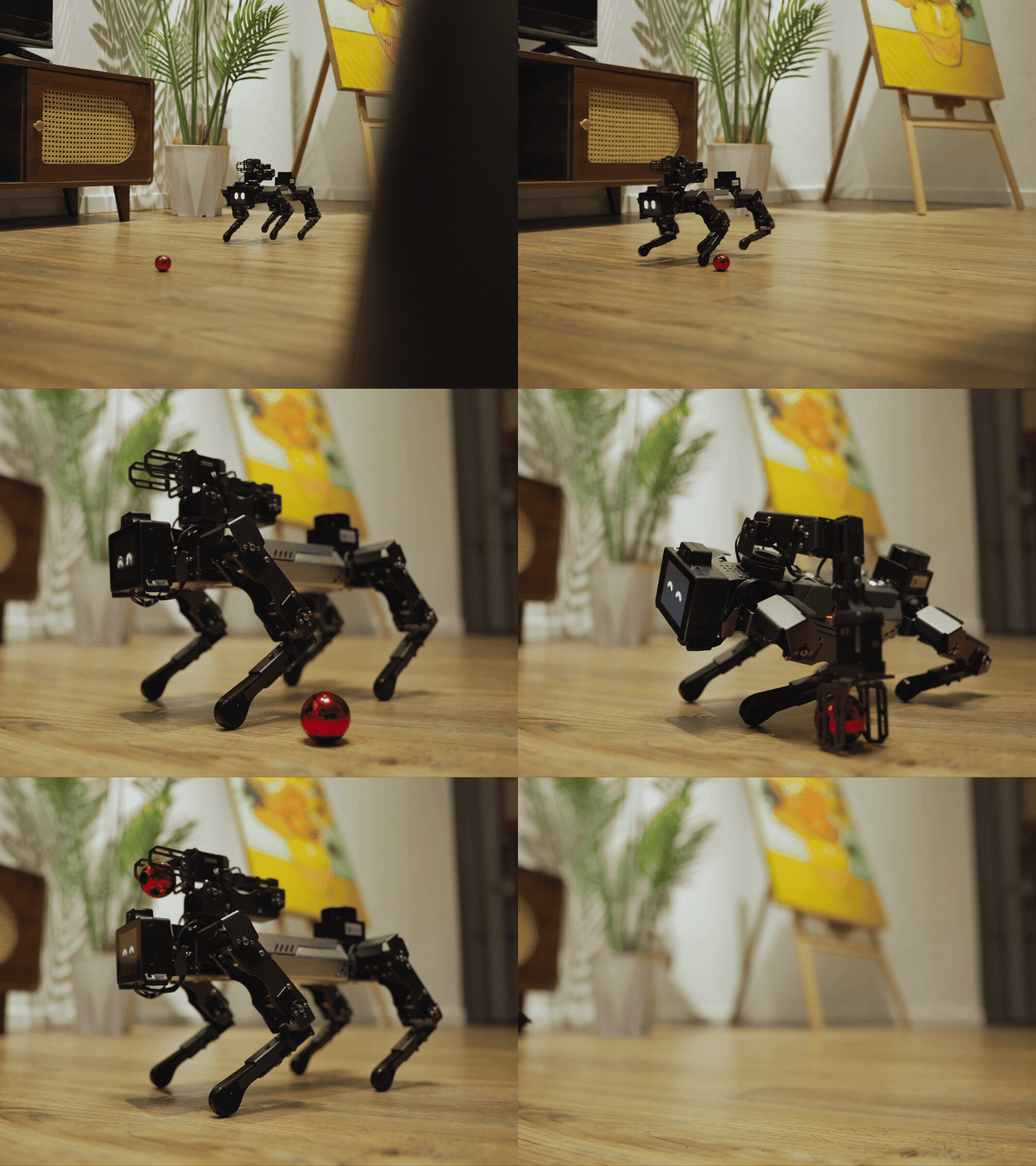
Use the camera to locate a colored target, process the image on CM5, then connect the result to a motion sequence. A practical starting point for your own visual manipulation project.

“Grasp and lift the red ball.”

SENSE

See the target

The 5MP OV5647 camera provides frames for face, gesture and color-recognition tasks.

PROCESS

Compute locally

Run supported vision models on CM5 and adapt the processing pipeline to your project.

RESPOND

Make interaction visible

Dual MEMS microphones capture speech; the display and speaker provide expressions and audio feedback.

ACT

Connect to motion

Turn recognition results into body movement, arm positioning and gripper actions.

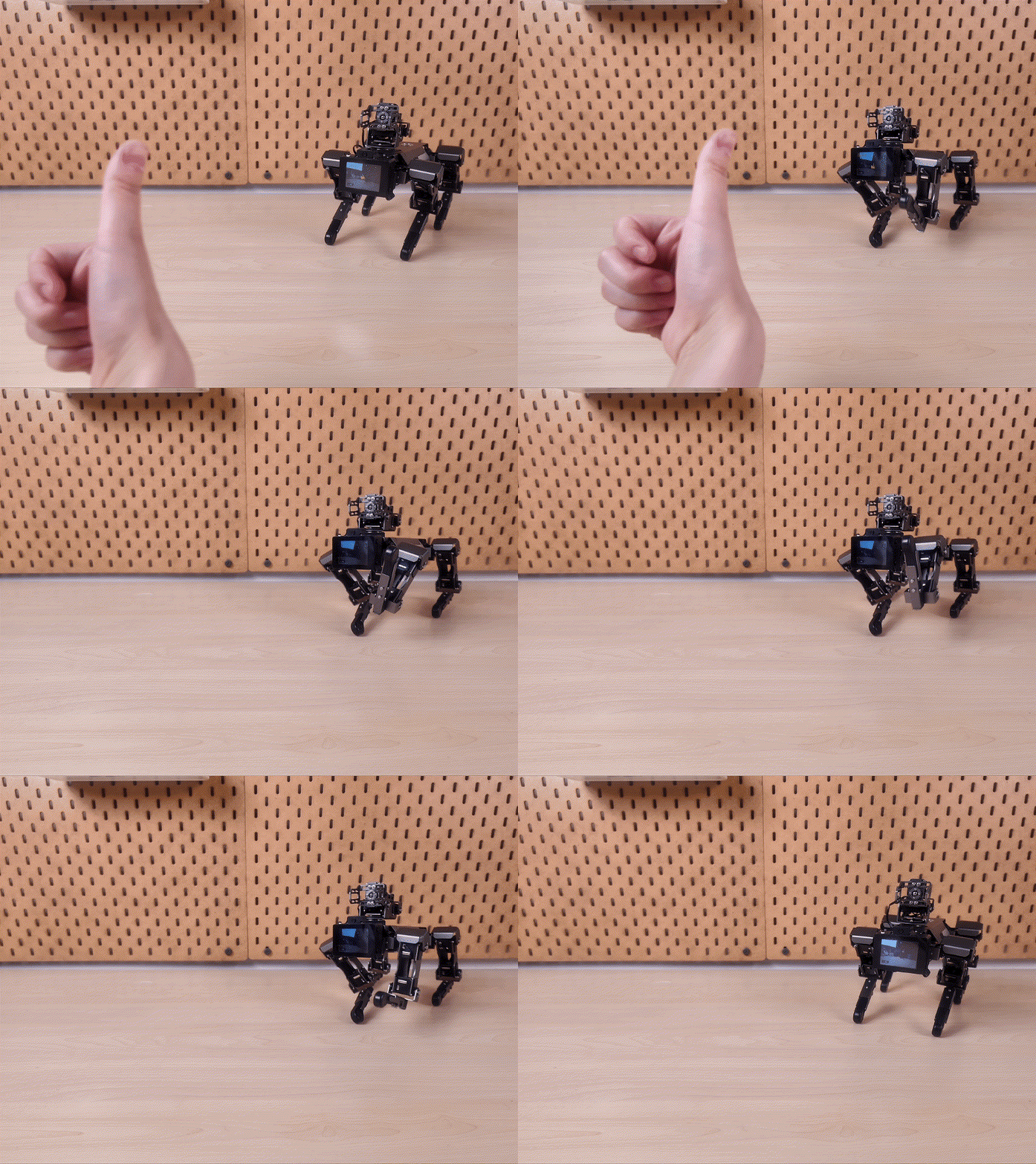
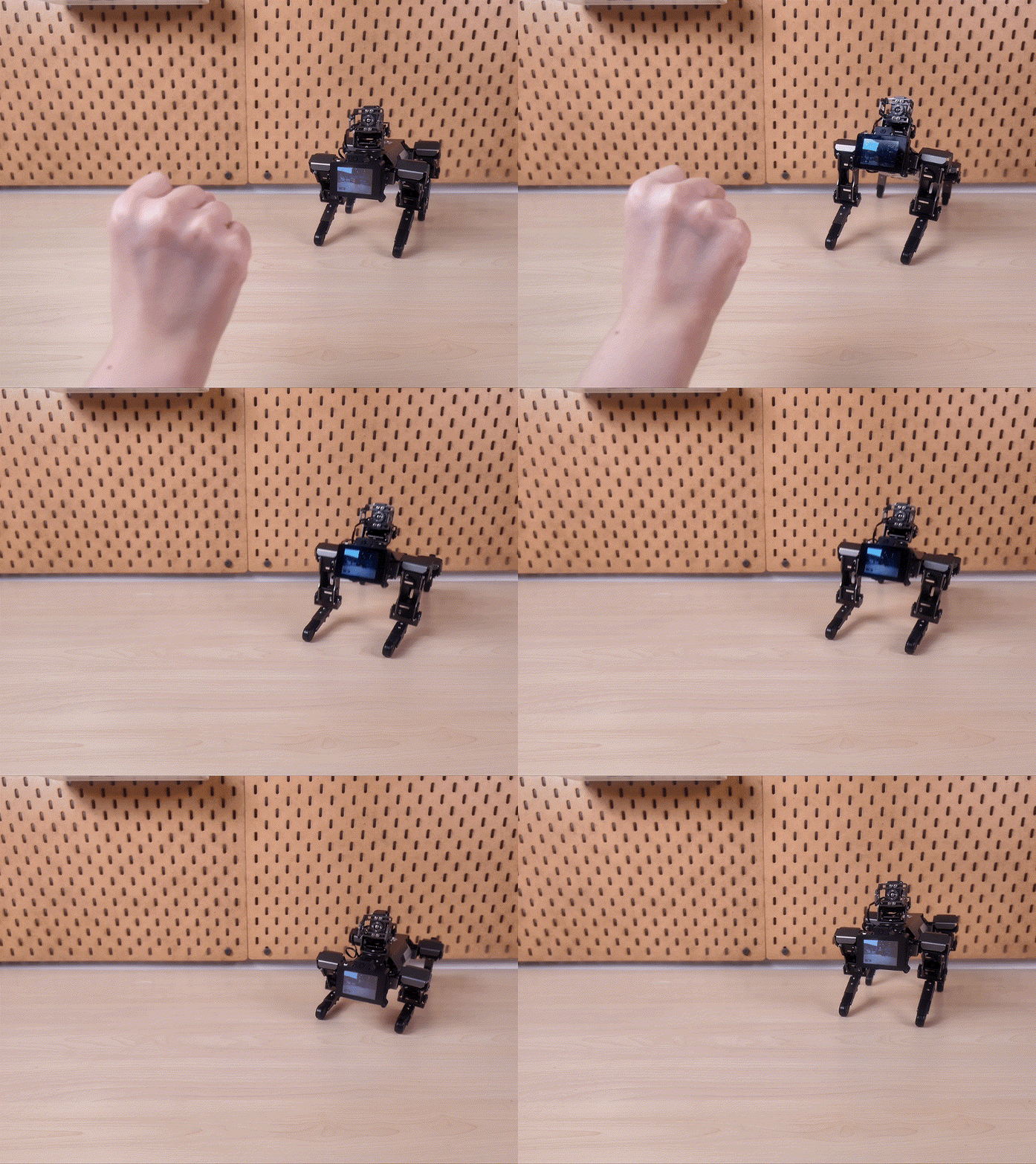
GESTURE INTERACTION

A simple gesture.
A physical response.

Explore gesture-driven demonstrations, then map recognized inputs to your own actions.
Local processing depends on the task and model. Cloud language-model services require connectivity and their own service setup.

04 / OPEN DEVELOPMENT

Start with a demo.
Make it your own.

Move from preset actions to Python control, computer vision and ROS 2 integration at your own pace.
  1. Control real motion with Python

    xgolib provides device discovery and motion commands such as move, turn, pace, stop and reset.
  2. Build a camera-to-action pipeline

    Capture frames with Picamera2. Use OpenCV for color segmentation and target location, then feed the result into your control logic.
  3. Extend into ROS 2

    The Luwu ROS environment includes OpenCV, cv_bridge and example nodes. Develop your own visualization and simulation workflows around the robot.
XGOLIB / MOTION.PY

XGOLIB / MOTION.PY

# xgolib: Automatically detect the serial port and robot model
from xgolib import XGO
from time import sleep

dog = XGO()
print("firmware:", dog.read_firmware())
dog.pace("high")

dog.move("x", 18)
sleep(1.2)
dog.move("y", -8)
sleep(0.8)
dog.turn(60)
sleep(1.0)

dog.stop()
dog.reset()

LUWU-OS API · xgolib automatically discovers ttyAMA5 / ttyAMA0.

LUWU-OS / BALL_TRACK.PY

# Detect a blue target and convert its horizontal offset into turning speed
from picamera2 import Picamera2
from xgolib import XGO
import cv2, numpy as np

cam, dog = Picamera2(), XGO()
config = cam.create_preview_configuration(
    main={"size": (640, 480), "format": "RGB888"}
)
cam.configure(config)
cam.start()

while True:
    frame = cam.capture_array()
    hsv = cv2.cvtColor(frame, cv2.COLOR_RGB2HSV)
    mask = cv2.inRange(hsv, np.array([95, 90, 60]),
                              np.array([130, 255, 255]))
    m = cv2.moments(mask)
    if m["m00"] > 3000:
        cx = int(m["m10"] / m["m00"])
        dog.turn(int(np.clip((320 - cx) * 0.25, -60, 60)))
    else:
        dog.stop()

Vision pipeline · OV5647 → Picamera2 → OpenCV → xgolib.

ROS 2 / XGO_WALK_NODE.PY

# Use one ROS 2 node to switch between simulation and real-robot execution
import rclpy
from rclpy.node import Node
from xgolib import XGO

class WalkNode(Node):
    def __init__(self):
        super().__init__("xgo_walk")
        self.declare_parameter("simulate", True)
        self.sim = self.get_parameter("simulate").value
        self.dog = None if self.sim else XGO()
        self.timer = self.create_timer(0.1, self.control)

    def control(self):
        speed = 18
        self.get_logger().info(f"cmd_x={speed} sim={self.sim}")
        if self.dog:
            self.dog.move("x", speed)

rclpy.init()
rclpy.spin(WalkNode())

# ros2 run xgo_demo walk --ros-args -p simulate:=true

Luwu ROS v0.1 · ROS 2 Lyrical example; simulation mode does not write to hardware.

06 / TECHNICAL SPECIFICATIONS

XGO-mini2S.
With LiDAR.

The Mini2S platform, equipped with a YDLIDAR T-mini PLUS for 360° environmental scanning. Specifications below cover the LiDAR version; ranging performance depends on target reflectivity.

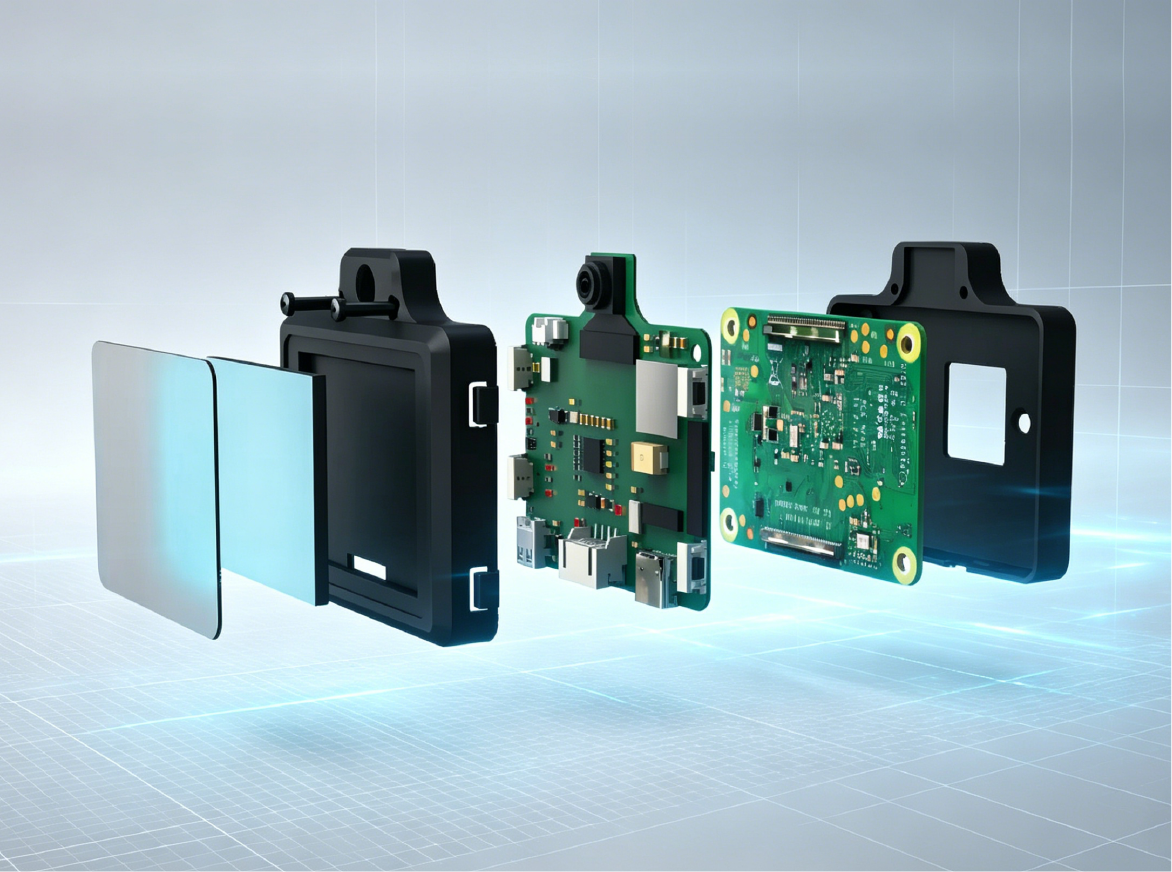
Mini2S mechanical assembly exploded view
Official LiDAR specifications
Configuration
XGO-mini2S with LiDAR · robotic arm and rotating base
LiDAR model
EAI YDLIDAR T-mini PLUS · 360° scanning
Ranging distance
0.05–12m at 80% reflectivity · 0.05–4m at 10% reflectivity
Ranging accuracy
±20mm systematic error over the full range
Scan / sample rate
6–12Hz adjustable scanning (6Hz default) · 4,000 samples/s
LiDAR interface
UART · GH1.25-4P connector
LiDAR module
38.6 × 38.6 × 33.9mm · approx. 45g (sensor only)
Processor
Raspberry Pi Compute Module 5 · 2.4GHz · 4GB RAM
Storage
32GB onboard storage
Degrees of freedom
16 total · 12 legs + 3 robotic arm + 1 turntable
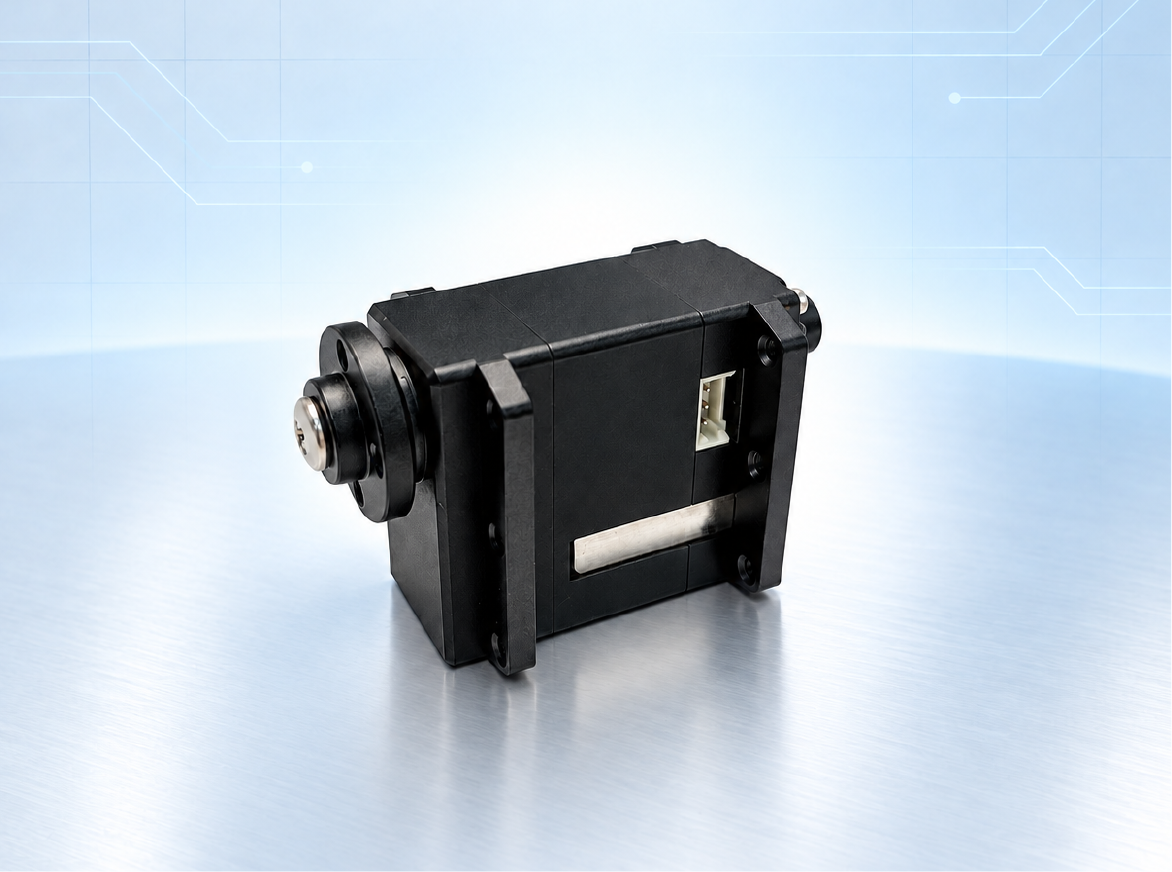
Servo system
Coreless motors · magnetic encoder bus servos · manual teaching
Servo torque
4.5 kg·cm
Angle feedback
0.01° magnetic encoder readback (manufacturer specification)
Servo travel
0–360° continuous (joint movement depends on the assembled mechanism)
Preset actions
20+ action sequences
Camera
5MP OV5647
Display
2.0-inch IPS · expressions and system status
Audio
Dual MEMS microphones · 8Ω 2W speaker
Battery
3800mAh · 2S
Charging
8.4V · 4A
Complete unit weight
LiDAR-equipped total not separately specified; confirm the final configuration with XGO.
Software
Luwu-OS preinstalled · Python / xgolib · Picamera2 / OpenCV · ROS 2 development environment
Development scope
LiDAR scan data for spatial-perception projects. Mapping and navigation require a suitable software workflow.

FREQUENTLY ASKED QUESTIONS

Everything you need to start.

Do I need a computer or internet connection?
Supported local demos run on the onboard CM5 without an external PC. A computer is useful for coding and ROS development. Network access and service configuration are required for cloud-connected language-model features; local vision tasks depend on the selected model and application.
How are the 16 degrees of freedom counted?
The four legs contribute 12 DOF. The arm adds 3 DOF and its rotating base adds 1 DOF, for 16 in total. The arm and rotating base are already included in that total.
Can I teach the robot a motion manually?
The official servo specification includes manual teaching. Joint-angle feedback supports capturing demonstrated positions and using them as a starting point for motion sequences in the supported software.
Which programming tools can I use?
Start with Python and xgolib for motion. Use Picamera2 and OpenCV for camera processing. The Luwu ROS environment supports ROS 2 development, with OpenCV, cv_bridge and example nodes for further integration.
Does 4.5 kg·cm mean the arm can lift 4.5 kg?
No. 4.5 kg·cm is a servo torque rating, not an arm payload rating. Usable grasping load depends on reach, posture, gripper contact and the task. Confirm payload requirements with XGO before ordering.
Where can I find setup guides and development documentation?
Open the XGO documentation for setup guides, Python examples and development resources. Use the View Documentation button below to get started.

YOUR NEXT EXPERIMENT STARTS HERE

Put your ideas
into motion.

Explore setup guides, code examples and development resources for your Mini2S.

View Documentation

You may also like